E-Library Erlangga
A school digital library where library staff run lending on the web and readers open books in the E-Library Erlangga app.



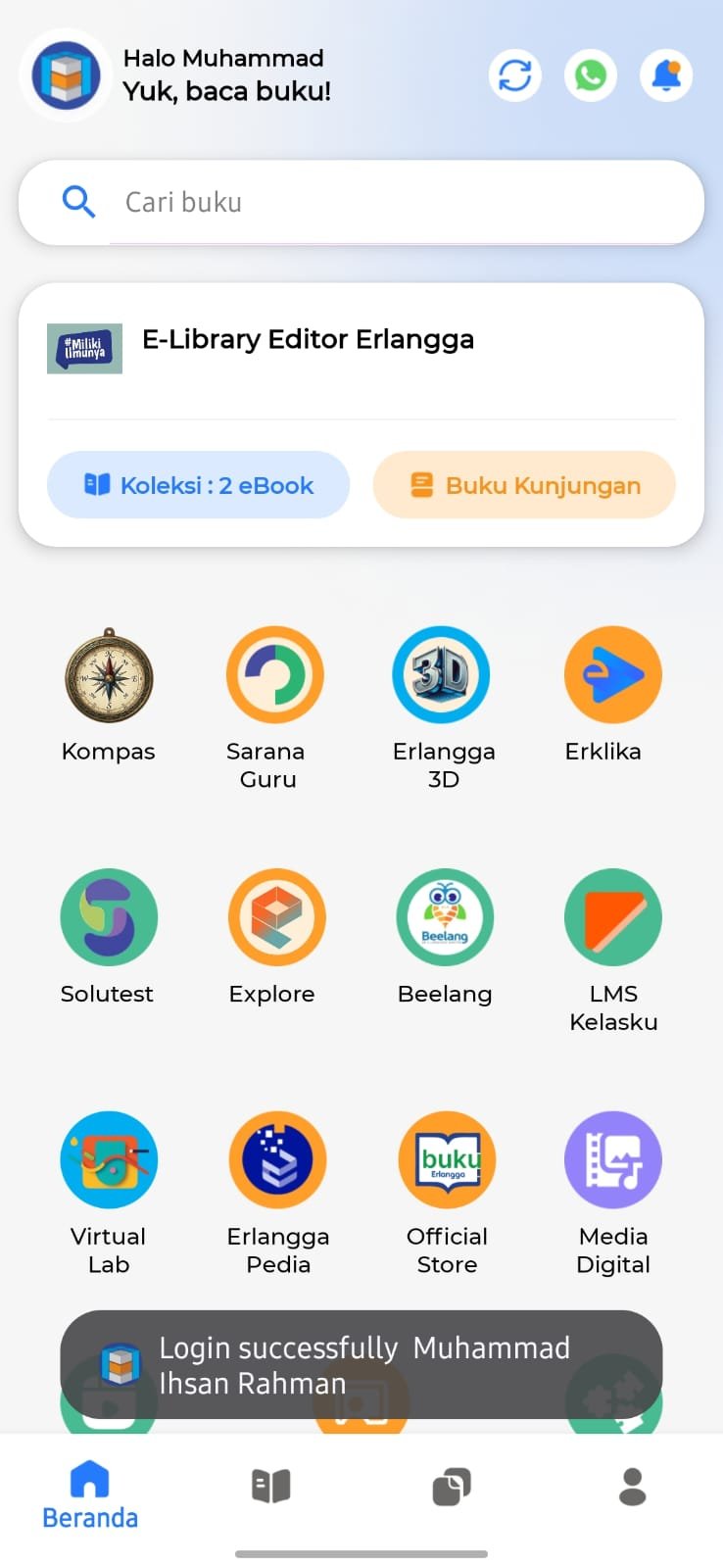
Web portal and member app
The ecosystem centers on the public E-Library administrator portal at e-library.erlanggaonline.co.id. Librarians and school staff register members, manage groups and classes, handle digital and print lending, and monitor collections. Members use the E-Library Erlangga app—the same product shown in this portfolio—to read approved digital loans on phone, tablet, or desktop.
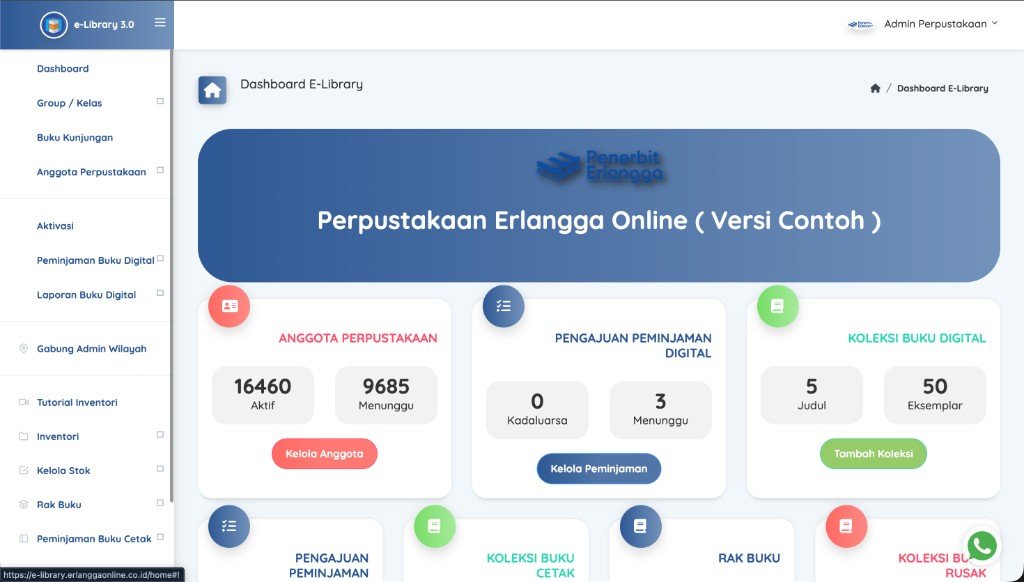
From library desk to reader screen
Staff manage members and lending
Library staff use the web admin to onboard members, approve accounts, and process digital (and print) lending according to school policy.
Loans reach member accounts
Approved digital titles are tied to the member’s account so they appear ready to open in the app.
Readers open books in the app
Students and teachers read borrowed e-books in E-Library Erlangga on Android, iOS, Windows, or macOS.
Where I contribute
- Lead socialization for librarians and teachers—walking through daily admin tasks on the portal and how to support readers on the app.
- Bring customer and school feedback from visits and support channels into concrete input for the development team.
- Maintain the E-Library Erlangga Flutter app in production: integrations, stability, debugging, and cross-platform releases.
Android + iOS + Windows + macOS from a single codebase.
Bringing real-world feedback back into development.
Across 75 school visits—from elementary through senior high—I listen to teachers and students on the ground, support product implementation and socialization, and turn what I learn into concrete improvements in the codebase.
Stack behind the member app
The reader app is built with Flutter and Dart, integrated with REST APIs and Firebase Authentication. Maintenance work covers Android, iOS, Windows, and macOS—UI flows, API contracts, performance, and production fixes alongside backend and design teammates.